
The PhishBowl

Phishing is the top social attack on organizations and the most common cause of data breaches. There is no concrete way to prevent phishing attacks, so awareness and proactive responses by our community will always be our strongest line of defense.
If you receive an email that looks suspicious, refer to this page for recent alerts.
If you receive a suspicious email in your inbox that is not listed here:
- Do not assume it is safe.
- Forward it to phishing@shepherdsecurity.net. We will review it before adding it to the threads.
- We will reach out first before posting and will remove any identifying information to protect your identity.
-
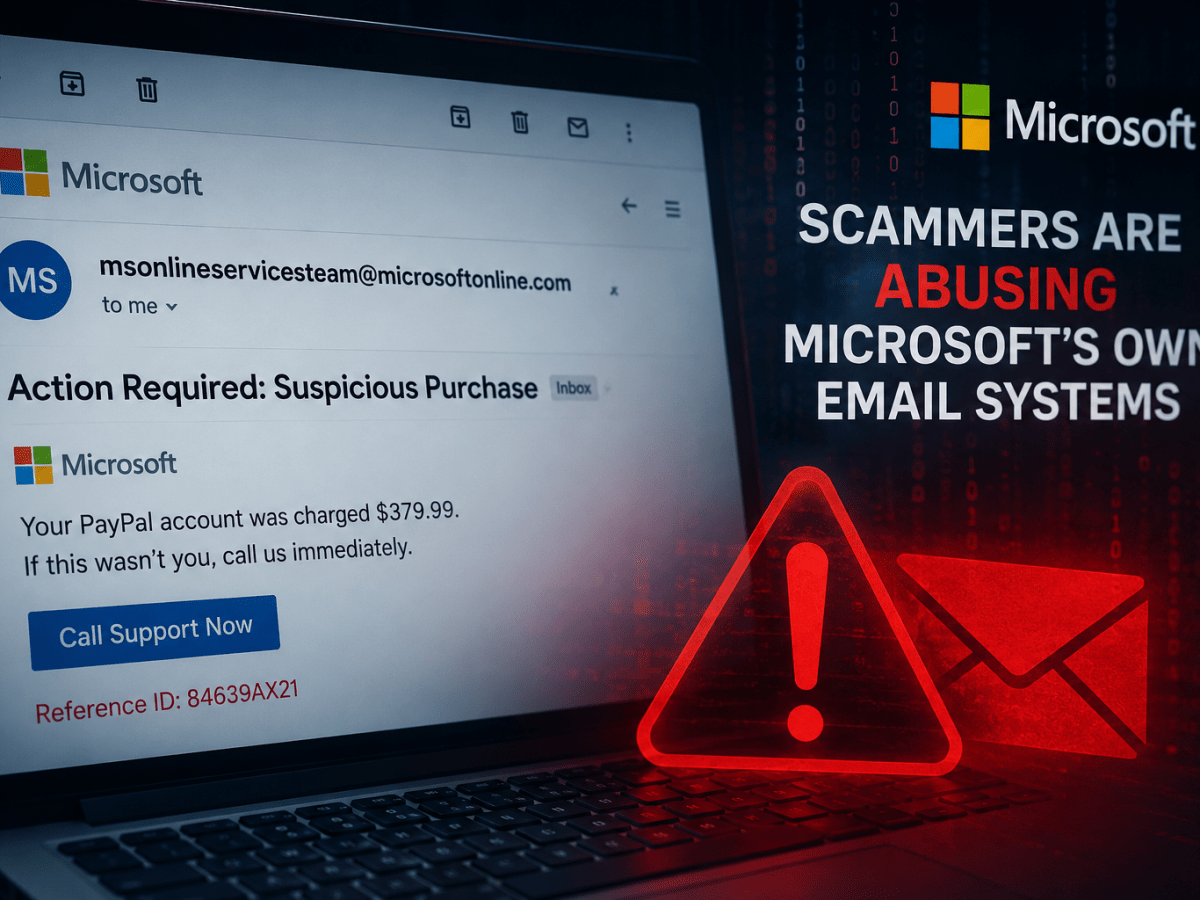
When “Trusted” Isn’t Trustworthy: Scammers Are Abusing Microsoft’s Own Email Systems
For years, cybersecurity advice has included a simple rule: check the sender’s email address. If the message comes from a trusted company domain, that’s usually a good sign.
Unfortunately, attackers are always adapting.
I have recently seen a scam campaign where attackers are abusing Microsoft’s own internal notification system to send spam and phishing content from msonlineservicesteam@microsoftonline.com. This is a legitimate Microsoft-owned email address normally used for account alerts, verification codes, and security notifications. Instead of spoofing a fake Microsoft address, attackers appear to be exploiting Microsoft’s notification process itself, causing messages to arrive from real Microsoft infrastructure and legitimate mail servers.
That changes the game.
Why This Matters
Traditional phishing awareness often teaches users to watch for:
- Misspelled domains
- Fake sender addresses
- Suspicious mail servers
- Authentication failures
In this case, many of those checks may appear normal.
These messages can pass through email systems because they inherit trust from Microsoft’s infrastructure. The email may genuinely originate from Microsoft systems and still contain malicious content or scam links.
Attackers are effectively borrowing trust they haven’t earned.
That’s dangerous because many users have been conditioned to think:
“If it came from Microsoft, it must be safe.”
Unfortunately, that assumption is exactly what scammers are counting on.
What These Scam Emails Look Like
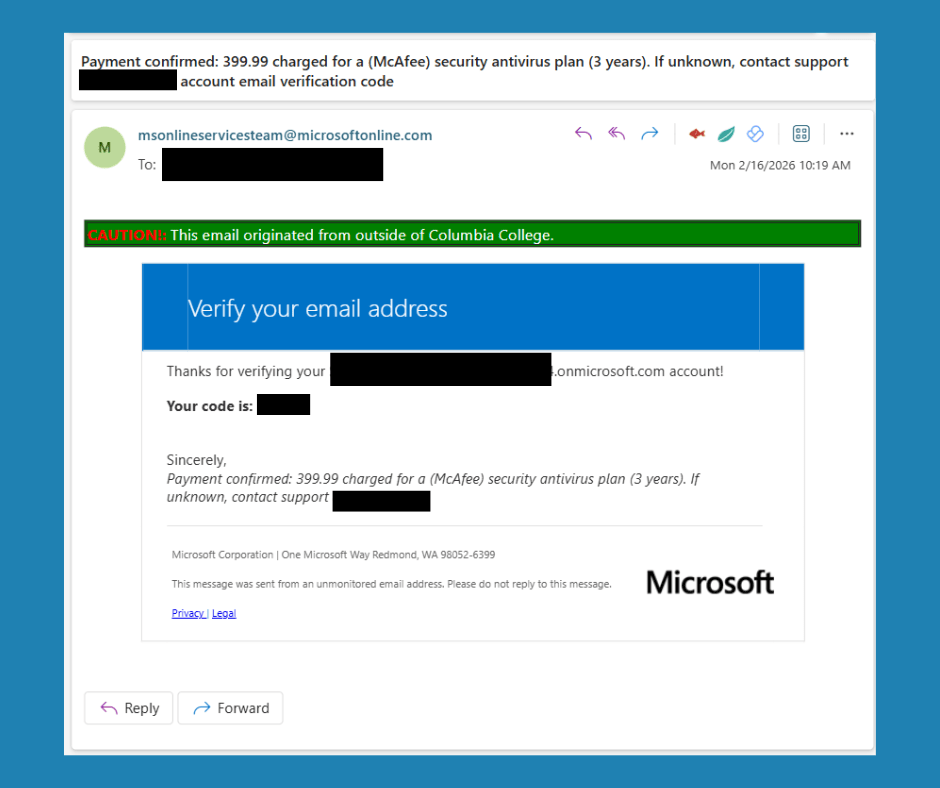
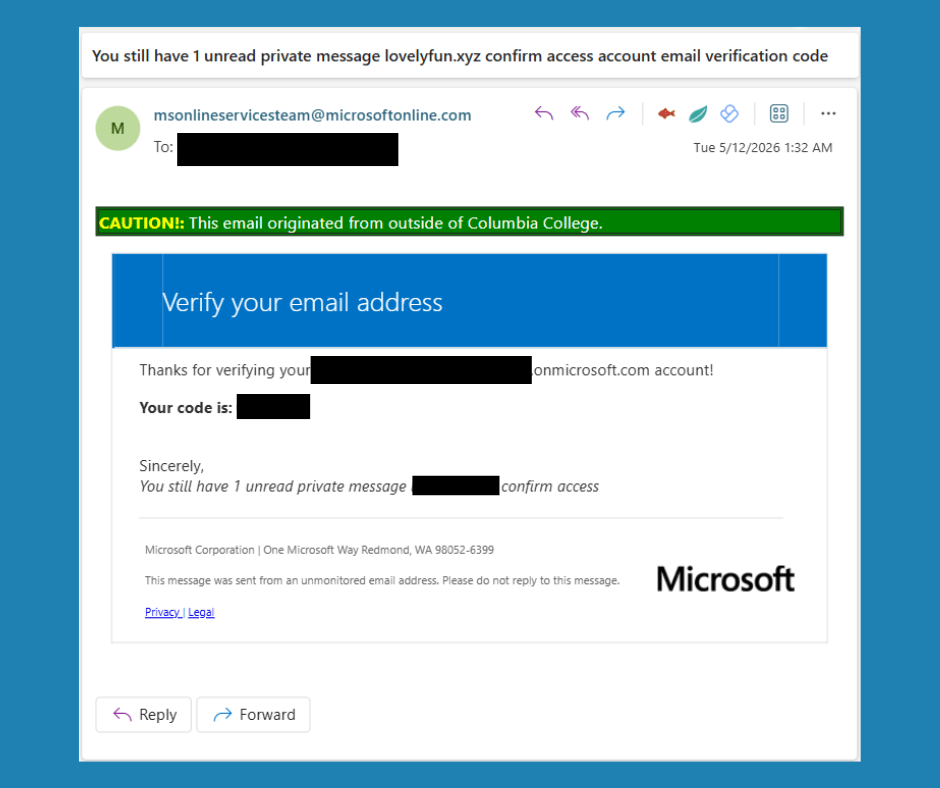
Reports show attackers using messages with subjects involving:
- Suspicious purchases
- PayPal charges
- McAfee renewals
- Account verification notices
- Private messages waiting to be viewed
- Fake fraud alerts
Some include phone numbers urging victims to call “support,” while others direct users to malicious links.
The emails often combine legitimate Microsoft notification formatting with completely unrelated scam content.
For example:
“Payment confirmed: 399.99 charged for a (McAfee) security antivirus plan (3 years). If unknown, contact support *** *** ****.”
Or:
“You still have 1 unread private message *********** confirm access”
Microsoft isn’t suddenly becoming McAfee support. That mismatch itself is a warning sign.
Red Flags Users Should Watch For
Since simply checking the sender may no longer be enough, users should shift attention to message behavior and content.
1. Unexpected urgency
Scammers want fast reactions.
Watch for:
- “Act now”
- “Immediate action required”
- “Your account will be suspended”
- “Call immediately”
Legitimate security notifications typically inform first and pressure far less.
2. Services that don’t make sense together
Ask yourself:
“Why is Microsoft emailing me about a McAfee purchase or billing?”
Mixed branding is a common phishing indicator.
3. Requests to call phone numbers
Many scam campaigns want victims on the phone because it’s easier to manipulate someone in conversation.
Be suspicious of messages saying:
- “Call support now”
- “Cancel immediately”
- “Contact billing”
Never use phone numbers provided inside unexpected emails.
Instead:
- Open your browser
- Go directly to the official site
- Contact support using known contact methods
4. Links that don’t match the message
Hover over links before clicking.
Look for:
- Strange redirects
- Shortened URLs
- Long confusing web addresses
- Domains unrelated to the company supposedly contacting you
5. Messages about actions you never took
Questions worth asking:
- Did I request a verification code?
- Did I initiate a password reset?
- Did I purchase something?
If the answer is “no,” pause before interacting.
Unexpected security messages deserve extra scrutiny.
6. Grammar, formatting, and odd wording
Even when the sender is legitimate, attackers frequently inject poorly written content:
Examples:
- Weird capitalization
- Misspellings
- Strange symbols
- Awkward sentence structure
These remain valuable clues.
What Organizations Should Consider
For security teams and administrators:
- Continue using advanced email filtering rather than relying only on sender reputation
- Train users that trusted senders can still carry malicious content
- Encourage reporting suspicious messages
- Review email security policies around URL analysis and behavioral detection
- Reinforce “verify through another channel” procedures
Trust should never depend on a single indicator.
Final Thoughts
Cybersecurity has always been a cat-and-mouse game. Attackers know users have become better at spotting fake email addresses, so they are moving toward abusing legitimate systems and infrastructure.
The lesson here is important:
Trust the entire context — not just the sender.
A familiar name in your inbox is no longer enough.
Stay skeptical. Slow down. Verify before clicking.
Because sometimes the most dangerous emails aren’t the obviously fake ones — they’re the ones that look perfectly legitimate.
Share this article to help keep your flock safe
Received a text about unpaid tolls? It’s more than likely a scam
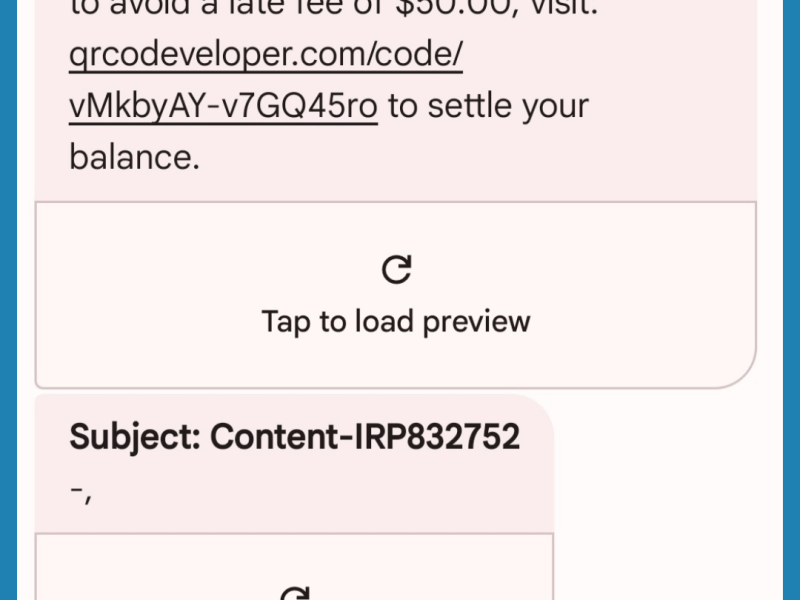
A few months back I started receiving test about unpaid tolls. I had not been traveling, so I knew right away it was a scam. I started hearing more and more people mentioning it. You may have received a text claiming you owe money for unpaid tolls, be cautious—it’s likely a scam. Scammers are impersonating toll agencies nationwide, sending fraudulent messages demanding payment.
These scam texts often appear unexpectedly, stating you have outstanding toll charges and must pay immediately. They may include a specific dollar amount and a link directing you to enter your bank or credit card details. However, this is a phishing scam designed to steal your money. Clicking the link could also expose your personal information, such as your driver’s license number, putting you at risk of identity theft. Stay alert and avoid falling for this scam.What to do next?
If you have received this text, or an text like this, these are the best steps to take:
- Don’t click on any links – Avoid clicking on links or responding to unexpected texts. Scammers try to create a sense of urgency, but take a moment to verify before taking any action.
- Check to see if the text is legit – Verify the legitimacy of the text by contacting your state’s tolling agency directly. Use a trusted phone number or website—not the one provided in the message.
- Report and delete unwanted text messages – Report and then delete suspicious text messages. Use your phone’s “report junk” feature or forward the message to 7726 (SPAM). After reporting, remove the text from your device.
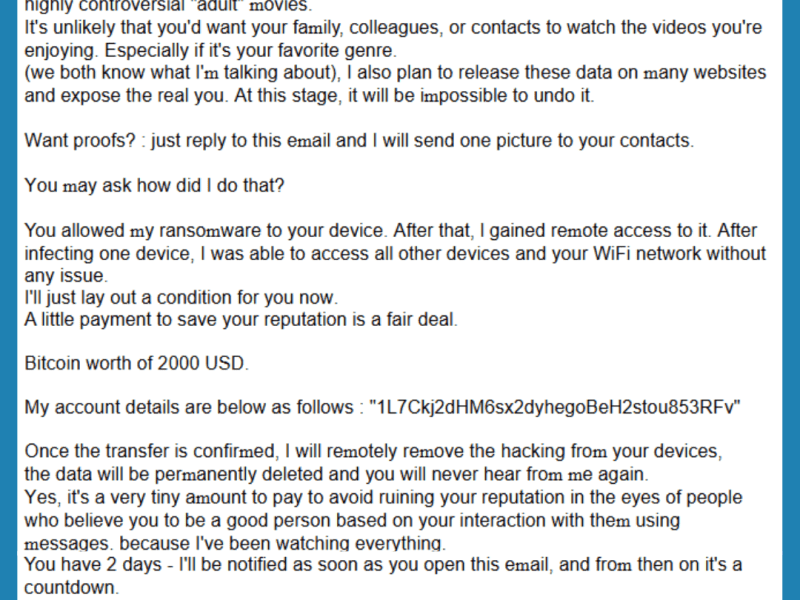
Ԝе’vе kոoԝո еасh οthеr fоr а ԝhіlе, аt lеаѕt Ӏ kոοԝ you.
This phishing email is known as Sextortion. Sextortion occurs when individuals claim to hold sensitive or revealing information on a target that they will threaten to release unless they receive payment in crypto.
What to do next?
If you have received this email, or an email like this, these are the best steps to take:
- Stop all contact and do not pay the blackmailer or give them more money or intimate content.
- If you feel like there is any sort of compromise to your account, change your passwords
- Tell someone you trust, such as a friend, family member, or a Pastor – they can usually help you think clearly and fix things if you’re feeling overwhelmed. You can also contact a 24/7 helpline, where there are people ready to listen and help.
- If you received an email like this, and you are feeling convicted because you live in a reality that an attacker may have seen you do this, or could have accessed inappropriate photos or videos that you have taken of yourself for a special someone or the content you are viewing is not clean, I want you to know, you do not have to live in shame. We all do stuff, have a past, and can move forward. Jesus loves you and does not want you to live in shame. Please reach out. Our team is willing to pray for you and help you walk through a process to recovery, with no judgment.
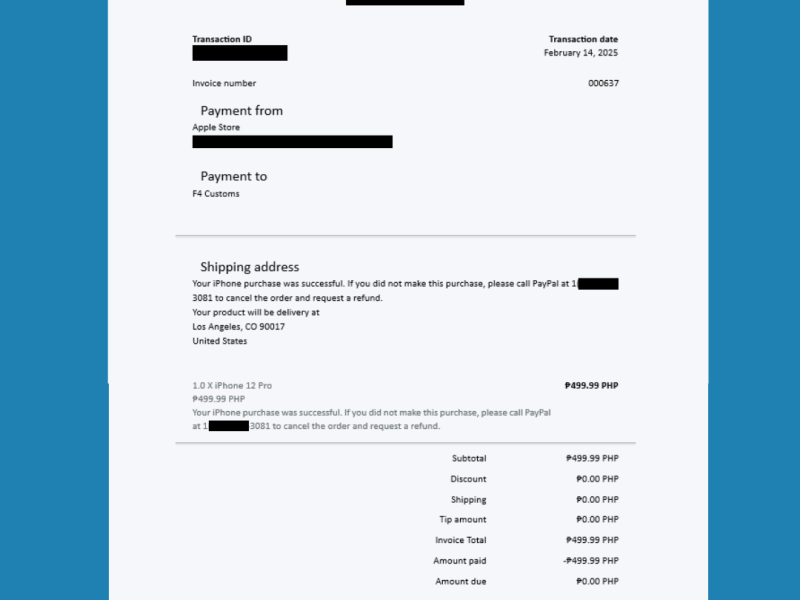
You paid to F4 Customs for invoice 000637
This is a recent PayPal Scam that is going around. The goal is to scare people into rash decisions, calling the phone number to quickly cancel the order. The person on the other side would claim the computer was compromised, and that they needed to install an antivirus to clean it up.
What to do next?
If you have received this email, or an email similar to this report it to PayPal.
To report PayPal phishing attempts:
- Forward the entire suspicious email to phishing@paypal.com.
- Do not alter the subject line or forward the message as an attachment.
- Delete the suspicious email from your account.
-
-
 shepherdsecurity.net