
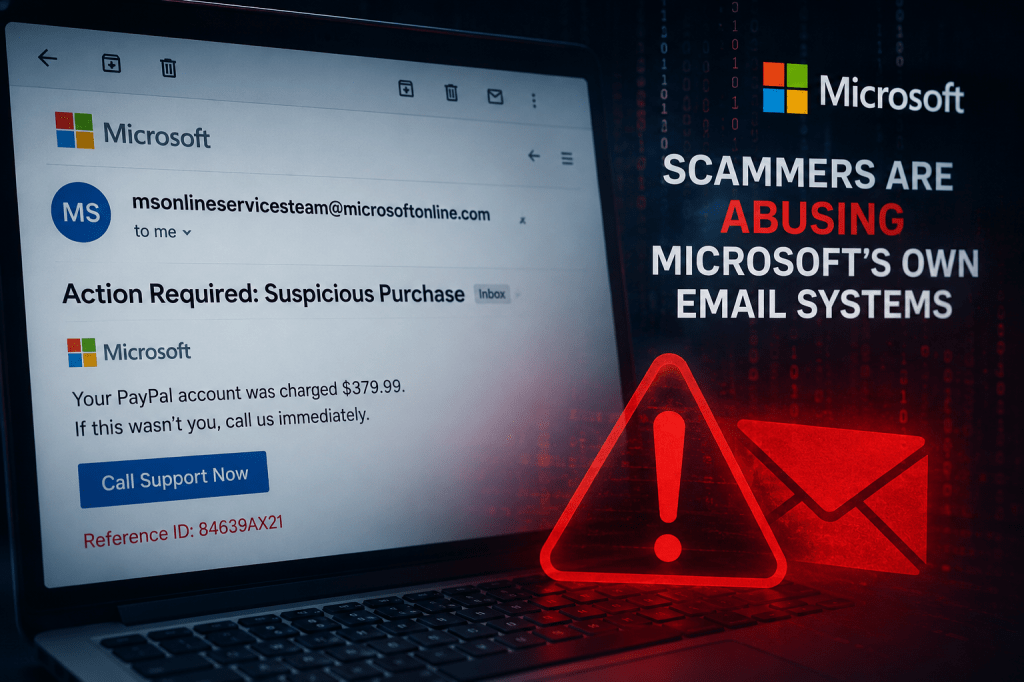
For years, cybersecurity advice has included a simple rule: check the sender’s email address. If the message comes from a trusted company domain, that’s usually a good sign.
Unfortunately, attackers are always adapting.
I have recently seen a scam campaign where attackers are abusing Microsoft’s own internal notification system to send spam and phishing content from msonlineservicesteam@microsoftonline.com. This is a legitimate Microsoft-owned email address normally used for account alerts, verification codes, and security notifications. Instead of spoofing a fake Microsoft address, attackers appear to be exploiting Microsoft’s notification process itself, causing messages to arrive from real Microsoft infrastructure and legitimate mail servers.
That changes the game.
Why This Matters
Traditional phishing awareness often teaches users to watch for:
- Misspelled domains
- Fake sender addresses
- Suspicious mail servers
- Authentication failures
In this case, many of those checks may appear normal.
These messages can pass through email systems because they inherit trust from Microsoft’s infrastructure. The email may genuinely originate from Microsoft systems and still contain malicious content or scam links.
Attackers are effectively borrowing trust they haven’t earned.
That’s dangerous because many users have been conditioned to think:
“If it came from Microsoft, it must be safe.”
Unfortunately, that assumption is exactly what scammers are counting on.
What These Scam Emails Look Like
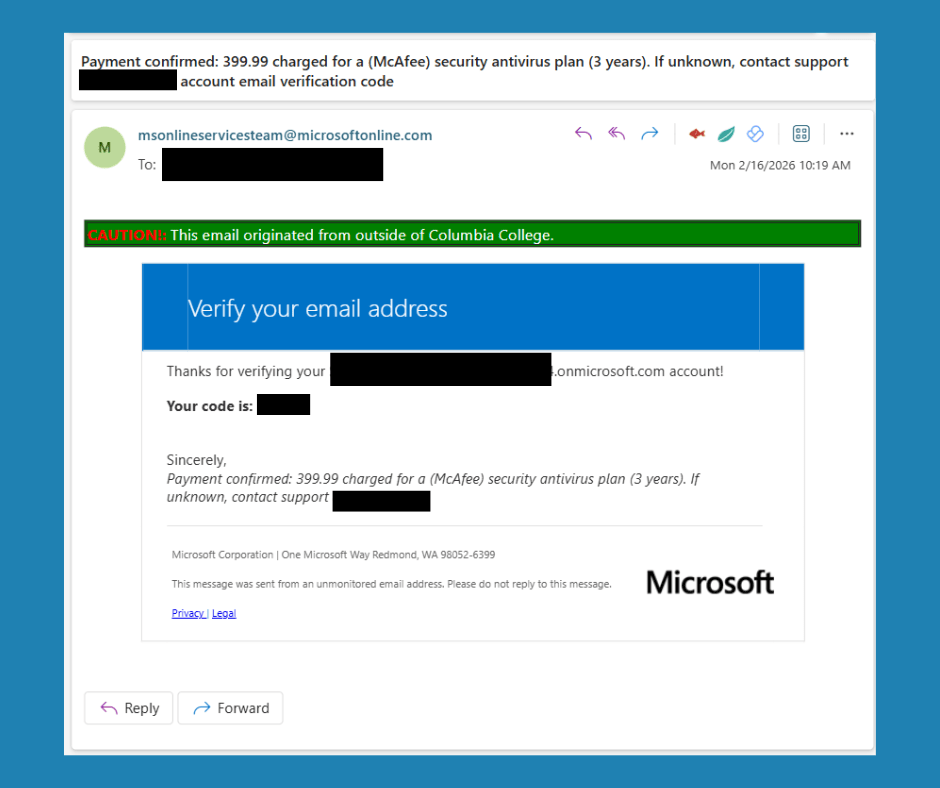
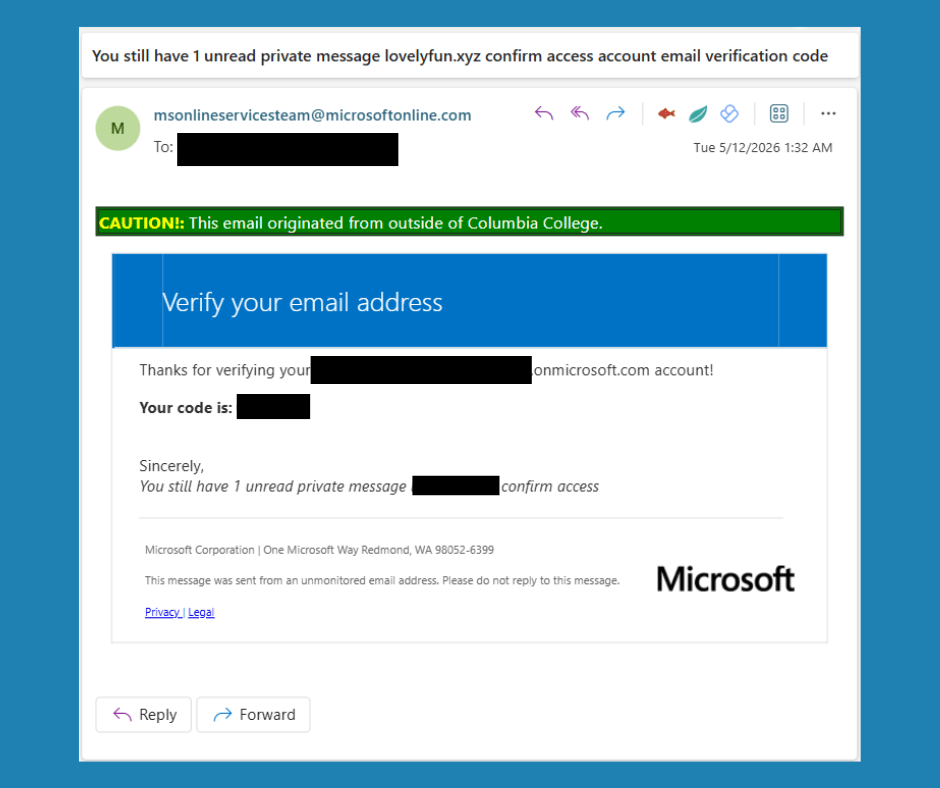
Reports show attackers using messages with subjects involving:
- Suspicious purchases
- PayPal charges
- McAfee renewals
- Account verification notices
- Private messages waiting to be viewed
- Fake fraud alerts
Some include phone numbers urging victims to call “support,” while others direct users to malicious links.
The emails often combine legitimate Microsoft notification formatting with completely unrelated scam content.
For example:
“Payment confirmed: 399.99 charged for a (McAfee) security antivirus plan (3 years). If unknown, contact support *** *** ****.”
Or:
“You still have 1 unread private message *********** confirm access”
Microsoft isn’t suddenly becoming McAfee support. That mismatch itself is a warning sign.
Red Flags Users Should Watch For
Since simply checking the sender may no longer be enough, users should shift attention to message behavior and content.
1. Unexpected urgency
Scammers want fast reactions.
Watch for:
- “Act now”
- “Immediate action required”
- “Your account will be suspended”
- “Call immediately”
Legitimate security notifications typically inform first and pressure far less.
2. Services that don’t make sense together
Ask yourself:
“Why is Microsoft emailing me about a McAfee purchase or billing?”
Mixed branding is a common phishing indicator.
3. Requests to call phone numbers
Many scam campaigns want victims on the phone because it’s easier to manipulate someone in conversation.
Be suspicious of messages saying:
- “Call support now”
- “Cancel immediately”
- “Contact billing”
Never use phone numbers provided inside unexpected emails.
Instead:
- Open your browser
- Go directly to the official site
- Contact support using known contact methods
4. Links that don’t match the message
Hover over links before clicking.
Look for:
- Strange redirects
- Shortened URLs
- Long confusing web addresses
- Domains unrelated to the company supposedly contacting you
5. Messages about actions you never took
Questions worth asking:
- Did I request a verification code?
- Did I initiate a password reset?
- Did I purchase something?
If the answer is “no,” pause before interacting.
Unexpected security messages deserve extra scrutiny.
6. Grammar, formatting, and odd wording
Even when the sender is legitimate, attackers frequently inject poorly written content:
Examples:
- Weird capitalization
- Misspellings
- Strange symbols
- Awkward sentence structure
These remain valuable clues.
What Organizations Should Consider
For security teams and administrators:
- Continue using advanced email filtering rather than relying only on sender reputation
- Train users that trusted senders can still carry malicious content
- Encourage reporting suspicious messages
- Review email security policies around URL analysis and behavioral detection
- Reinforce “verify through another channel” procedures
Trust should never depend on a single indicator.
Final Thoughts
Cybersecurity has always been a cat-and-mouse game. Attackers know users have become better at spotting fake email addresses, so they are moving toward abusing legitimate systems and infrastructure.
The lesson here is important:
Trust the entire context — not just the sender.
A familiar name in your inbox is no longer enough.
Stay skeptical. Slow down. Verify before clicking.
Because sometimes the most dangerous emails aren’t the obviously fake ones — they’re the ones that look perfectly legitimate.
Share this article to help keep your flock safe


Leave a Reply